Creating custom tees and personalized apparel has never been easier at Coey’s Closet. One of the most powerful features in our Online Design Studio is the ability to take any artwork design number—from any product on our site—and apply that exact design to any shirt style you prefer. Whether you love a graphic tee that’s only shown on a short sleeve shirt or you want the same artwork on a hoodie, long sleeve, performance tee, or tank, this guide shows you exactly how to do it.
This step-by-step walkthrough is perfect for anyone wanting to turn one of our featured shirt designs into a custom tee that matches their style, comfort, and fit. Best of all, you don’t have to sacrifice creativity or quality—our Design Studio gives you complete control.
What Are Design Numbers?
Every optimized product in our catalog is assigned a unique Design Number (example: ABL-02).
This number lets you:
- Search for the artwork inside the Online Design Studio
- Apply the design to new apparel styles
- Customize colors (if the design allows)
- Resize, reposition, or combine it with your own graphics
If a product is not yet optimized, it may temporarily not have a design number—our team is actively updating these so every design works seamlessly.
Where to Find the Design Number
When you click on any product, the Design Number is displayed at the top of the product description.
You’ll see:
Customize This Design
Love the design but want it on a hoodie or long sleeve?
Visit our Design Studio to make it your own!
Design Number: ABL-02
Use this number to search for the artwork in the studio.
Need help? Check out our Design Studio FAQs.
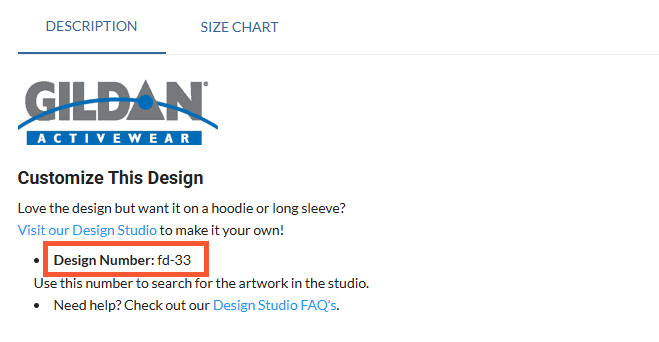
This section gives you:
- The official Design Number
- A quick link to the Design Studio FAQs
- A direct link to the Online Design Studio
Why Use Design Numbers?
Using artwork across multiple apparel styles gives you:
- Creative freedom to place graphic tees on hoodies, long sleeves, youth shirts, performance tees, etc.
- Consistency for teams, clubs, families, or events
- Unlimited custom tee variations without losing your favorite artwork
- The ability to modify colors for designs that support color changing
This system keeps your experience simple and ensures your custom apparel always looks clean and professional.
How to Use a Design Number in the Online Design Studio
Here is the simple 5-step process to apply any artwork to any shirt:
STEP 1 — Copy the Design Number From the Product Page
After choosing a graphic you like, scroll to the description and copy the Design Number (example: ABL-02).
This is your search keyword inside the Design Studio.
STEP 2 — Open the Online Design Studio
You can reach the Studio using either method:
Path 1 — Coey’s Closet Main Site
- Go to coeyscloset.com
- Click Shop
- Choose Design Studio
Path 2 — Direct Store Access
- Go to store.coeyscloset.com
- Click Design Studio
Once inside, choose the apparel style you want:
- Hoodies
- Long sleeves
- Short sleeves
- Performance shirts
- Kids apparel
- Specialty apparel
Click Design Now to open the customization screen.
STEP 3 — Add the Artwork to Your New Shirt Style
Before you search for artwork, you need to select the area where the design will be applied. If you are using a design that is for 2 or more locations, you will need to search the design number for each area to be used.
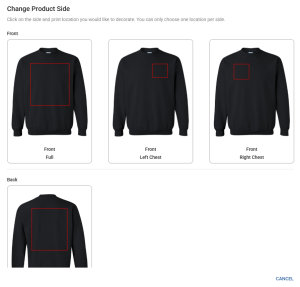
Once your blank shirt is loaded:
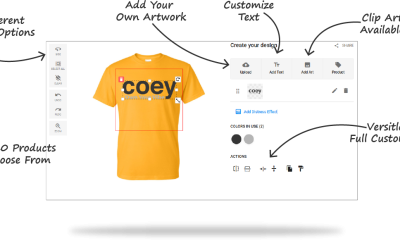
- Look at the right-hand toolbar
- Click Add Art
- Choose Browse Clip Art
- In the search bar, paste your Design Number (ex: ABL-02)
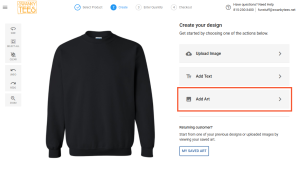
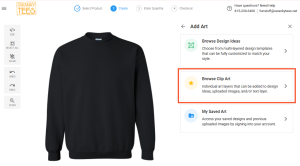
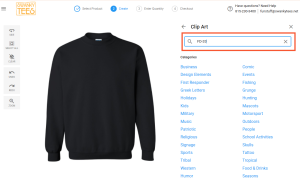
The exact artwork from the product page will appear instantly.
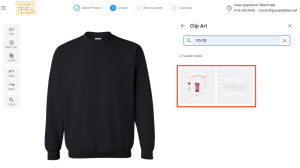
Click the design to add it to your new shirt.
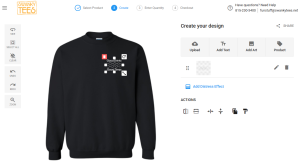
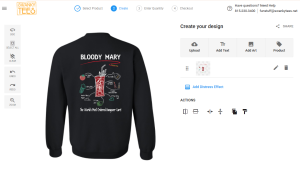
STEP 4 — Customize Your Artwork (Optional but Fun!)
Once added, you can:
- Resize or reposition the design anywhere
- Add text
- Combine it with uploaded graphics
- Add distress effects
- Duplicate or layer designs
Color Change Capabilities
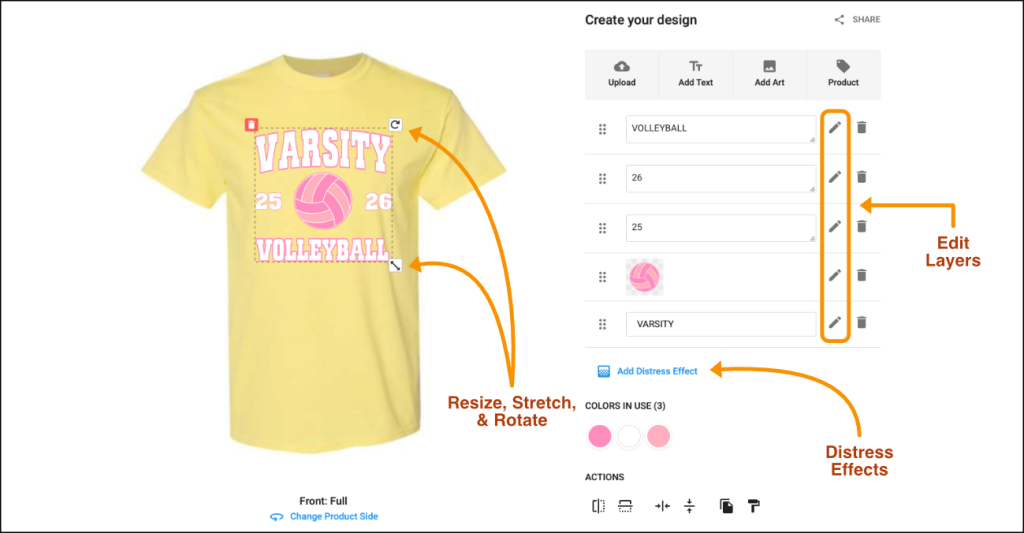
Many of our designs include a section labeled Colors In Use when selected.
This means you can:
- Change individual colors
- Adjust palette for sports teams, schools, or personal style
- Match your apparel color for perfect contrast
This is especially useful for spirit wear, events, and multi-item orders.
STEP 5 — Choose Your Sizes & Finalize Your Custom Tee
Once your design looks just right:
- Select your sizes and quantities
- Click Get Price for an instant quote
- Click Buy Now when you’re ready to order
- Apply any discounts or coupons in the shopping cart
Production time is typically 5–7 business days, with in-house DTF printing for vibrant, long-lasting results.
Why This Matters for Custom Apparel
Using Design Numbers gives customers the freedom to:
- Turn any graphic tee into any type of apparel
- Create matching gear for families, teams, and events
- Keep artwork consistent across mixed apparel styles
- Personalize clothing without starting from scratch
- Use the designs they already love in new ways
This feature is one of the biggest benefits of using our Online Design Studio.
Ready to Customize Your Design?
Start creating your perfect tee (or hoodie, or long sleeve…) now:
👉 Visit the Online Design Studio
👉 Browse the Design Studio FAQs
👉 Explore Related Help Articles