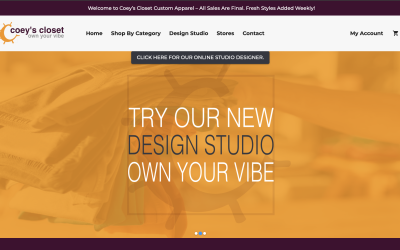
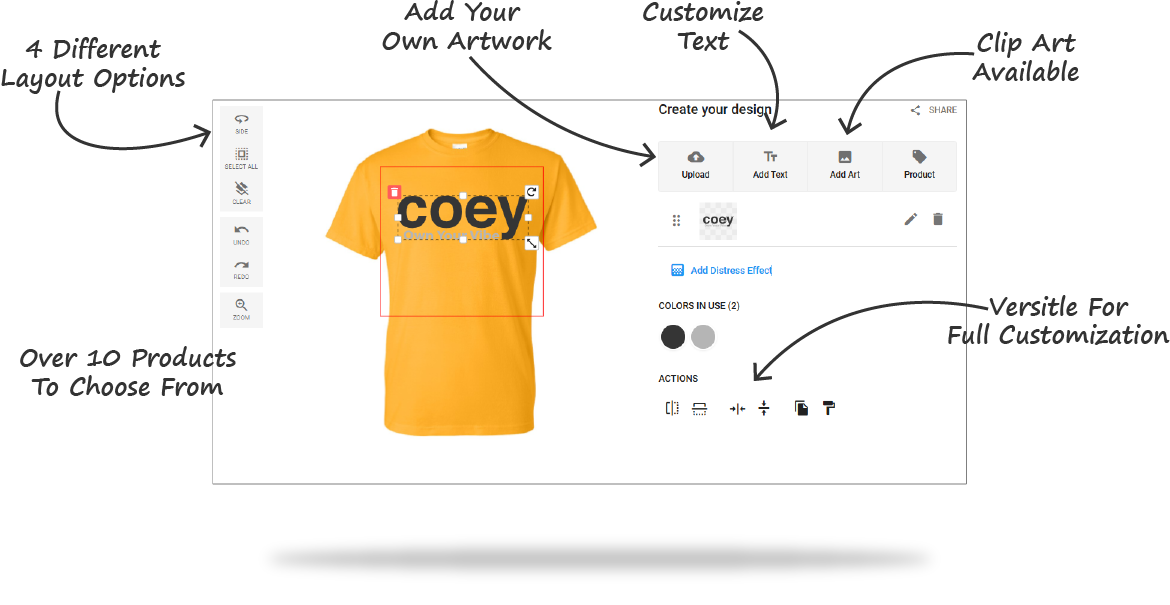
Welcome to Our Brand New
Online Design Studio!
Tired of generic clothes? Your unique personality deserves a custom T shirt to match!
We’re excited to introduce the all-new Online Design Studio at Coey’s Closet. We designed it to be more flexible, easier to use, and perfect for creative individuals. Whether you want to showcase your humor, passion, or personal brand, you can create high-quality custom apparel quickly and affordably.
The best part? It’s simple, affordable, and requires no bulk order!
Why Create Your Own Shirt Graphics with Coey’s Closet?
- Unlock Your Voice: Easily showcase your unique personality with customized shirt gear.
- High Quality, No Bulk: Custom printing is now accessible; no huge bulk orders are required.
- Superior DTF Printing: We use DTF (Direct-to-Film) technology for full-color, high-quality, durable prints and faster production.
- Visit Our Website: coeyscloset.com
Step-by-Step: How to Customize
a Shirt with Our Design Studio
Asking how to use your online design studio? It’s easier than you think! This clear, action-oriented tour will help you customize a shirt effortlessly.
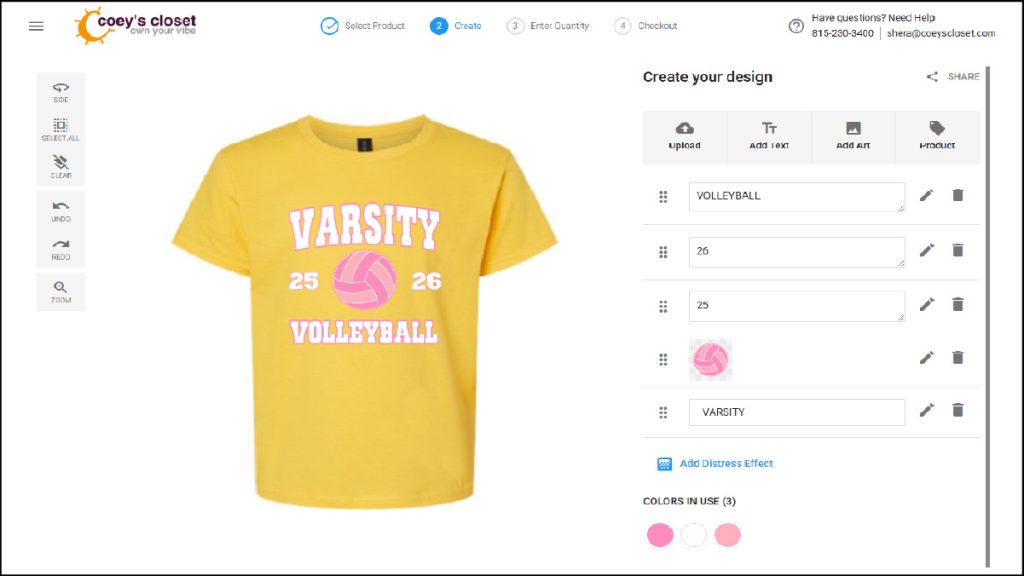
Getting Started: Two Ways to Access the Designer
You can jump into the studio in just two clicks:
- Path 1 (Main Site): Go to coeyscloset.com → Click Shop in the navigation → Click Design Studio.
- Path 2 (Direct Store): Go directly to store.coeyscloset.com → Click Design Studio.
- Pro Tip: Set Up for Success: Sign in or create an account immediately. This lets you save your artwork and designs in “My Saved Art” for future orders or edits.
The 5-Step Design Flow for Your Custom T Shirt
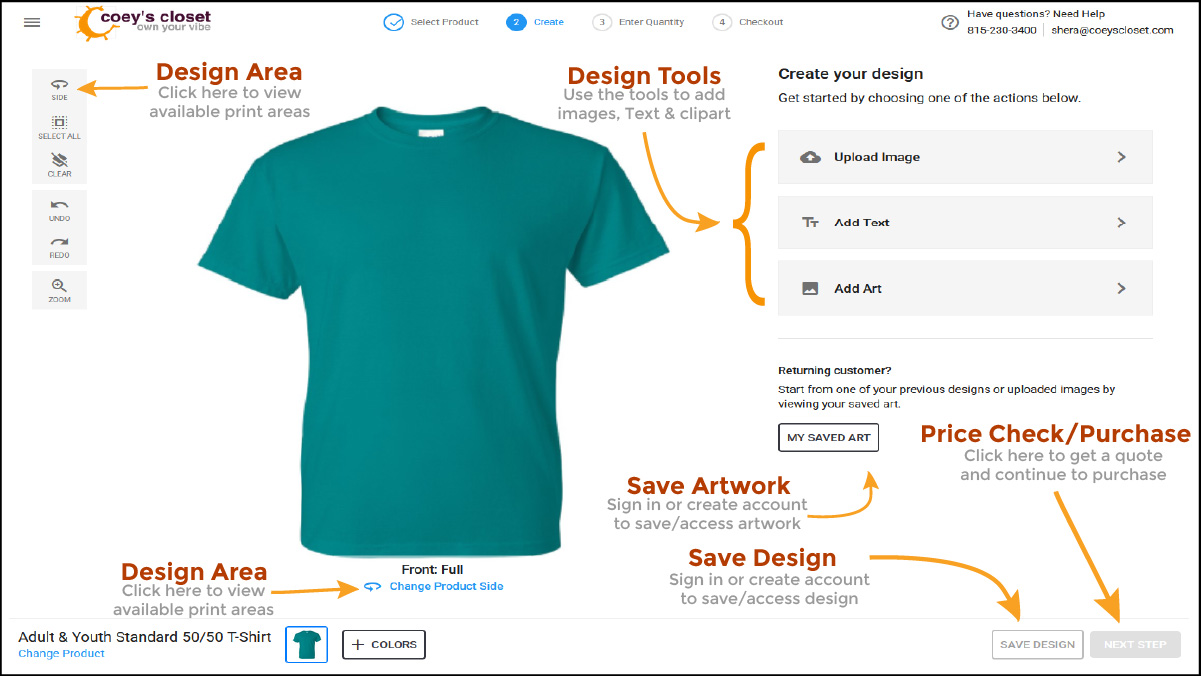
- Step 1: Pick Your Canvas
- Choose from a wide variety of t shirt designs, sweatshirts, hoodies, performance gear, and more.
- Once selected, click the “Design Now” button.
- Quick View: The main screen shows your product. You can quickly change the color or style via the bottom bar controls.
- Step 2: Define Your Design Area
- Decide where you want your artwork! Placement options include Front, Back, Front Left Chest, and Sleeve (if available).
- Use the “Side” menu (on the left) or the product toggle to switch views.
- Step 3: Unleash Your Creativity (The Design Tools)
- Use the tools on the right-side menu: Upload Image, Add Text, and Add Art.
- Pro Tip: Art or text appears instantly on your shirt for immediate editing, sizing, and rotation.
- Step 4: Price Check (Zero Commitment!)
- Proceed to the next step to select the required Sizes and Quantities.
- Click the “Get Price” button (bottom right) for an instant quote. There is zero commitment to buy at this stage. Feel free to check the price on a single item or a large batch!
- Step 5: Purchase
- Select “Buy Now” to proceed to the cart.
- Crucial Note: Your discount is applied with a coupon code in the shopping cart. The initial Price Summary does not reflect discounts yet.
Mastering the Tools for
Your Shirt Graphics
The right-side menu is your creative toolkit, giving you the power to create professional custom apparel.
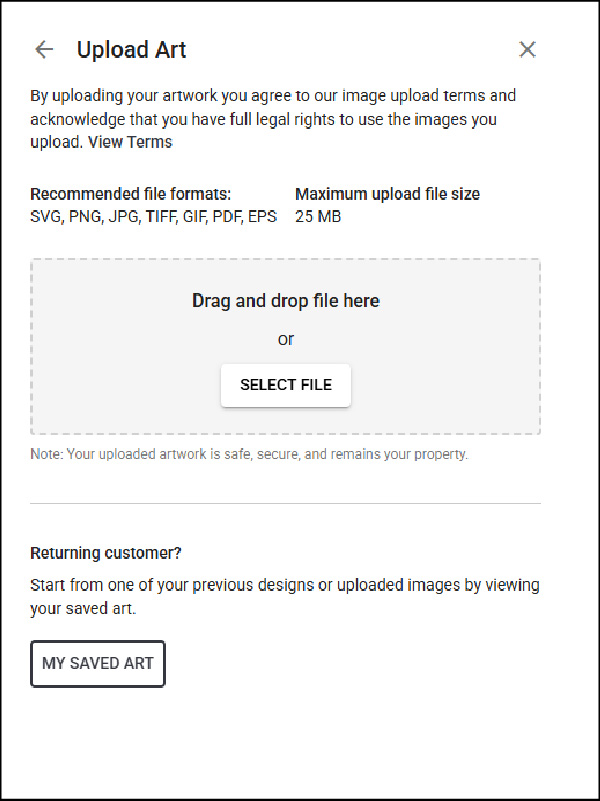
Upload Image (Using Your Own Graphics and Files)
Want to use your own logo or drawing? This tool makes it easy:
- How To: Click “Select File” or simply drag and drop your file into the window.
- Supported Files: We accept SVG, PNG, JPG, TIFF, GIF, PDF, and EPS (Maximum file size is 25 MB).
- Quality Tip: For the best results, use SVG or vector-based PDF. This is the only way to retain full quality and allows you to change the colors of your image elements within the studio!
- Internal Link: Upload Your Own Shirt Graphics
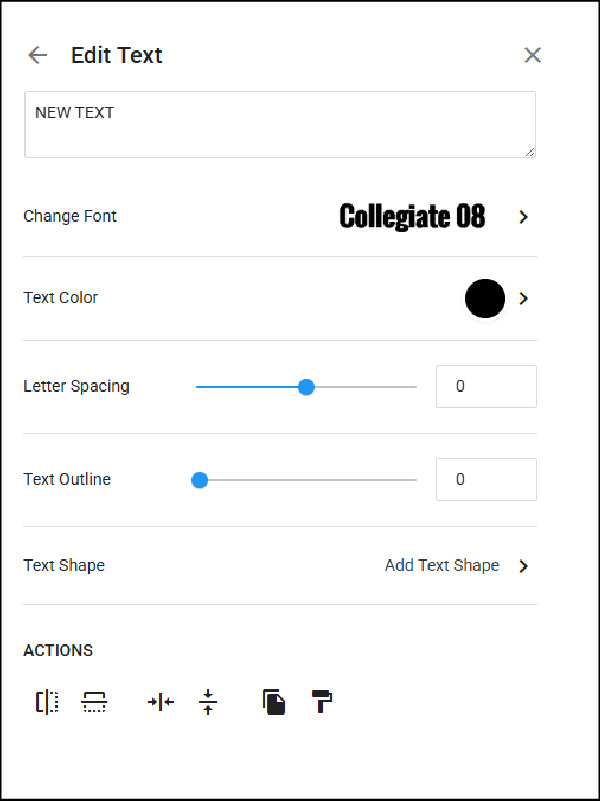
Add Text (Making a Statement)
Add quotes, names, or witty phrases with our robust text tools:
- The Basics: You can easily edit the text, choose from hundreds of Font Styles, and pick colors.
- Style Tools: Adjust Letter Spacing, add a custom Text Outline (with control over color and thickness).
- Text Shape: Select from over 30 shapes (arcs, circles, slants) to perfectly curve your text around a logo or frame a design.
- Action Toolbar: Quickly flip, center, copy, and paste text elements for symmetry.
Add Art (Clip Art and Design Ideas)
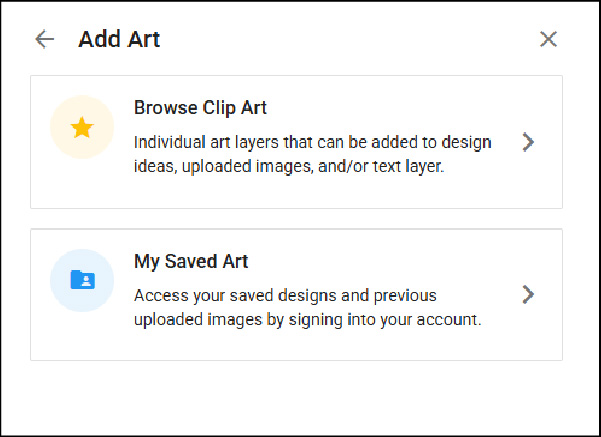
No artwork? No problem! Use our massive built-in libraries:
- Browse Design Ideas: Find fully customizable, multi-layered design templates to jumpstart your project.
- Browse Clip Art: Explore a huge library of art. You can change the colors on these designs to match your product.
- Search Tip: Our library is extensive, so use the search box to easily narrow down your results (e.g., search for “dog” or “abstract”).
- My Saved Art: Access designs and images you’ve saved previously.
General Editing and Effects
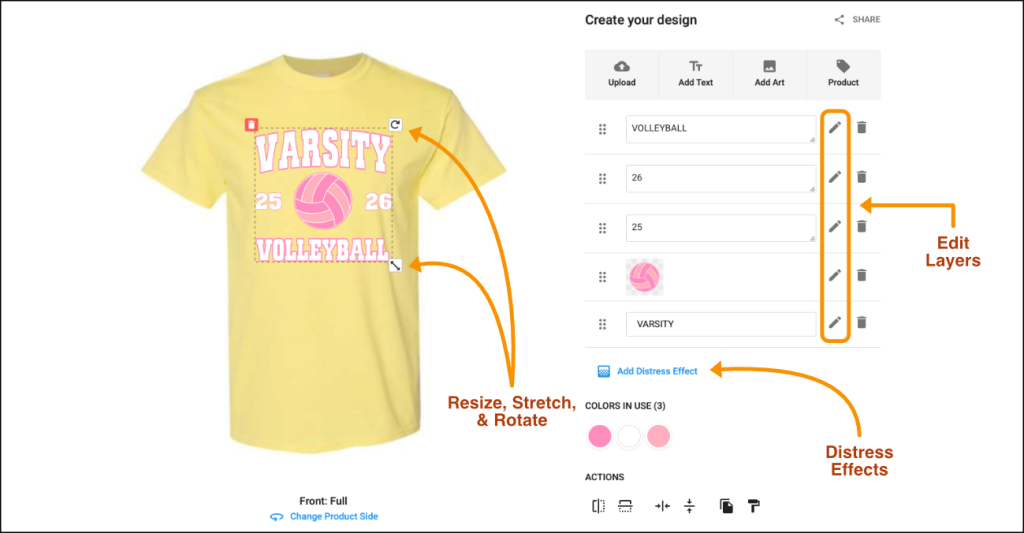
- Manipulate: Click and drag arrows on the design board to resize, stretch, or rotate the graphic.
- Layers: On the right, listed items can be edited individually by clicking the pen icon.
- Distress Effect: Instantly apply a cool, vintage-style distress effect to your print for that perfectly worn-in look.
Logistics, Care,
and Your Exclusive Discount
What Happens After You Order?
- Production Time: Average production is 5–7 business days. This depends on current stock levels, but we will always notify you of any delays.
- DTF Advantage: Our in-house DTF printing ensures a faster production time without sacrificing print quality. This process delivers vibrant, long-lasting color straight to the fabric. [External Link to DTF Printing Benefits Explained]
Apparel Care for Long-Lasting Prints
You want your new custom apparel to last! Here are the simple care instructions for DTF prints:
- Wash inside out.
- Use cold water.
- Tumble dry low or hang dry.
Why Choose Coey’s Closet?
We specialize in custom apparel for teams, schools, and businesses, but we bring that same high-quality standard to your one-off Graphic Tee or gift ideas.
- No Minimums: Order 1 shirt or 100 shirts.
- High-Quality Prints: DTF ensures vibrant, lasting shirt graphics.
- Affordable: Competitive pricing + an exclusive coupon for designing it yourself!
- Creative Freedom: Your design, your way.
Ready to Design Your Custom T Shirt? Get 15% Off!
The new design studio is easy and fun to use. Plus, getting a discount for just doing it yourself is a great deal!
This is the perfect chance to create personalized gift ideas for friends or just treat yourself.
What’s Next?
We’re committed to making custom design easy for everyone.
Watch for our next article where we focus on Advanced Text Shaping and layering for truly unique t shirt designs!
- Internal Link: Link to Knowledge Hub or help articles (Anchor Text: Design Studio FAQs).
- External Link: Link to an authority guide on file format basics (Anchor Text: Understanding SVG vs PNG).